Dealerships
What your GM sees each morning.
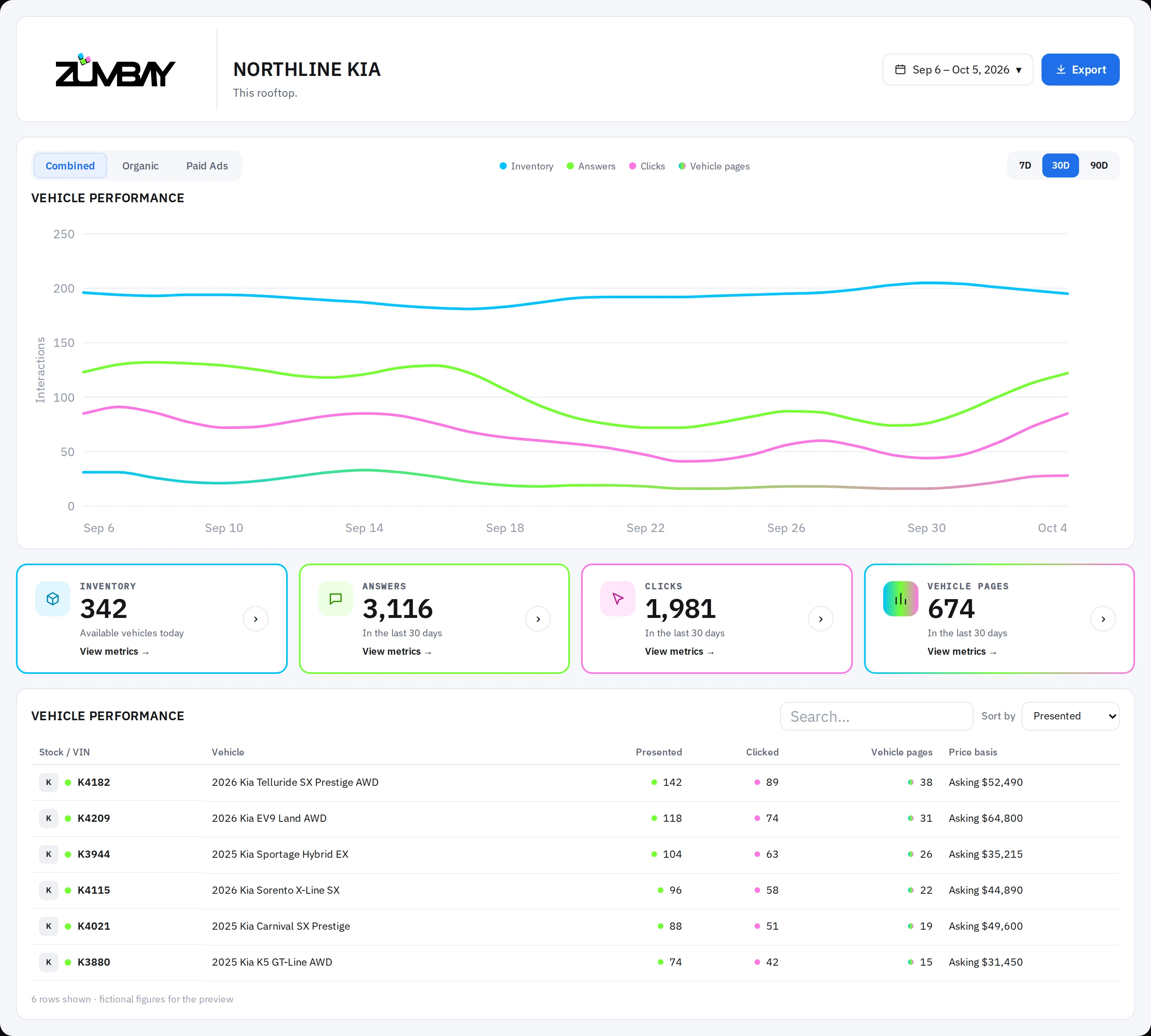
Ready vehicles, answers, clicks, and vehicle pages by VIN, built from the inventory feed you already publish.
The morning view
Four numbers, each tied to a VIN.
- Ready vehicles: VINs in today’s feed with price, photos, and their own VDP URL.
- Named in answers: Scheduled shopper questions that named one of your cars.
- Clicks: Tagged links opened to your site, organic and paid kept apart.
- Vehicle pages: Recorded arrivals on a specific VIN’s page, tagged by assistant.
What the store does
Send the feed. Add one pixel.
- Send your published feed: Scheduled CSV, XML, or vAuto-style export. No DMS or CRM login.
- Add one pixel to vehicle pages: Placed once on your VDP template to record assistant, VIN, and organic vs. paid.
- Fix flagged gaps: Any VIN missing a price, VDP link, or photo is listed by stock number.
3 THINGS CONNECTED
- Public website domain
- Published CSV / XML feed
- 1 pixel on vehicle pages
NEVER TOUCHED
- No DMS login or API
- No CRM or customer list
- No sold reports or deal files
- No site admin password
Dealer groups
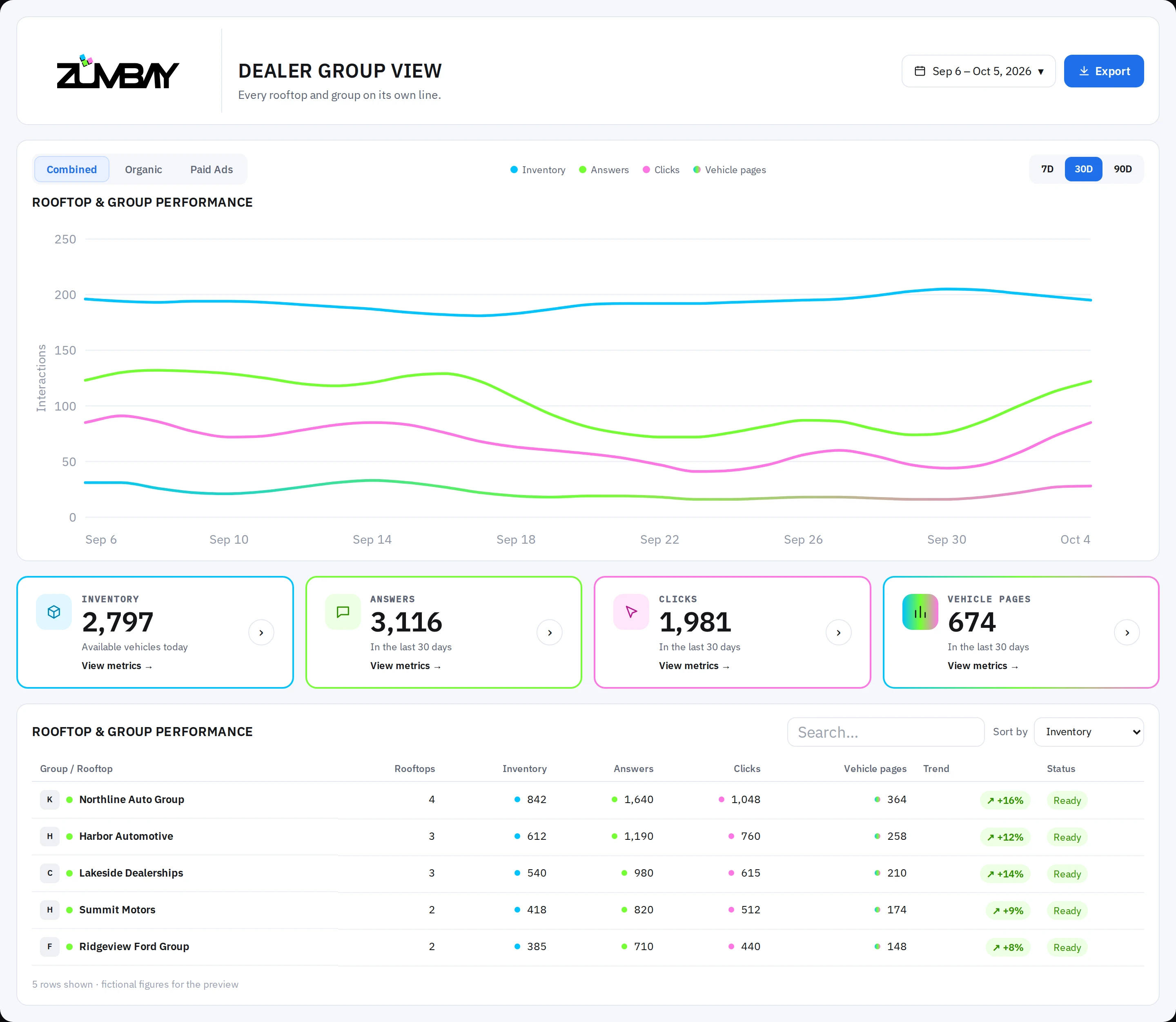
Every rooftop on its own line.
- Each rooftop keeps its own feed, its own pixel, and its own line on the group chart.
- Open any store for its single-rooftop view, then return to the group.
- Unconnected stores state “not connected” on their own line, never blended.
- Unlimited seats per dealership so every GM and owner shares the same view.
FAQ
What GMs ask first.
Do you need our DMS or CRM?
No. Zumbay reads the inventory feed you already publish and never connects to your DMS, CRM, or sold log.
Can you make an assistant name our cars?
No one can. Zumbay makes every VIN answerable, runs scheduled shopper questions, and records when your vehicles are named.
Where does the count stop?
At your vehicle page: named in an answer, clicked, and arrived on that VIN’s page. No sale is claimed.
How often does it update?
Daily. Every morning feed run re-checks your lot and retires any VIN that left the feed.